CategoriesSchoolTechnology

Cognitive Offloading

“The danger of the future is not that machines will begin to think like humans, but that humans will begin to think like machines.”

— Sydney J. Harris | #CognitiveOffloading

I have a confession to make, and it’s embarrassing: my spelling and grammar have gone directly into the toilet over the last eighteen months.

It didn’t happen because I suffered a head injury, and it didn’t happen because I suddenly forgot how the English language works. It happened because modern Large Language Models have gotten so terrifyingly good at parsing whatever phonetic slurry I vomit into the prompt box that my brain simply stopped bothering with syntax. When you’re in the zone, trying to push progress forward at 100 miles per hour, you realize the machine doesn’t give a damn about commas, capitalization, or whether you used “their,” “there,” or “they’re.” It interprets your chaotic garbage with surgical precision.

So, in the sacred name of momentum, all writing discipline went out the window. My prompts look like a drunk raccoon ran across a mechanical keyboard at 3:00 AM. And because the AI spits back a pristine, articulate answer every single time, my brain’s laziness circuit got a big, juicy hit of dopamine. That was warning shot number one.


1. Using a Nuke to Hammer a Nail

There is a specific kind of modern insanity where you commit staggering, planetary-scale computational overkill just because the input box is sitting open on your second monitor.

Case in point: last week I needed a corporate logo for a rapid prototype mockup. In the sane, pre-AI world, the protocol was elementary. You open a new browser tab. You type the company name into Google Images. You click “Tools,” filter by “Color: Transparent,” right-click the PNG, and drag it into your canvas. Time elapsed: 8 seconds. Compute expenditure: roughly 0.00004 watt-hours.

Instead, what did I do? Like an absolute lunatic, I opened Midjourney and burned through an ungodly cluster of liquid-cooled enterprise GPUs in a remote data center to hallucinate a synthetic approximation of a logo that already exists on six thousand free public CDNs.

It is the literal definition of using a thermonuclear warhead to hammer in a picture hook.
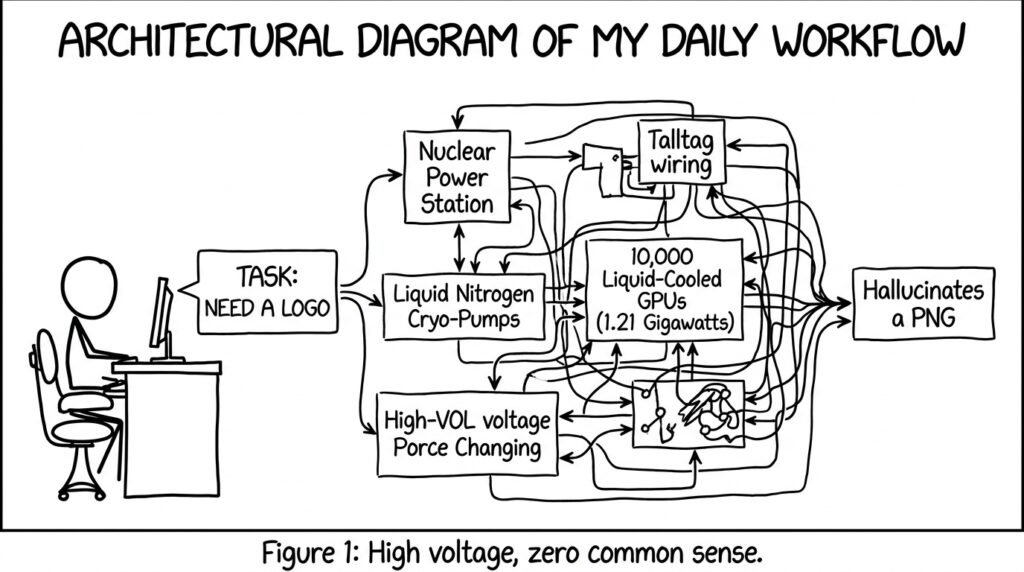
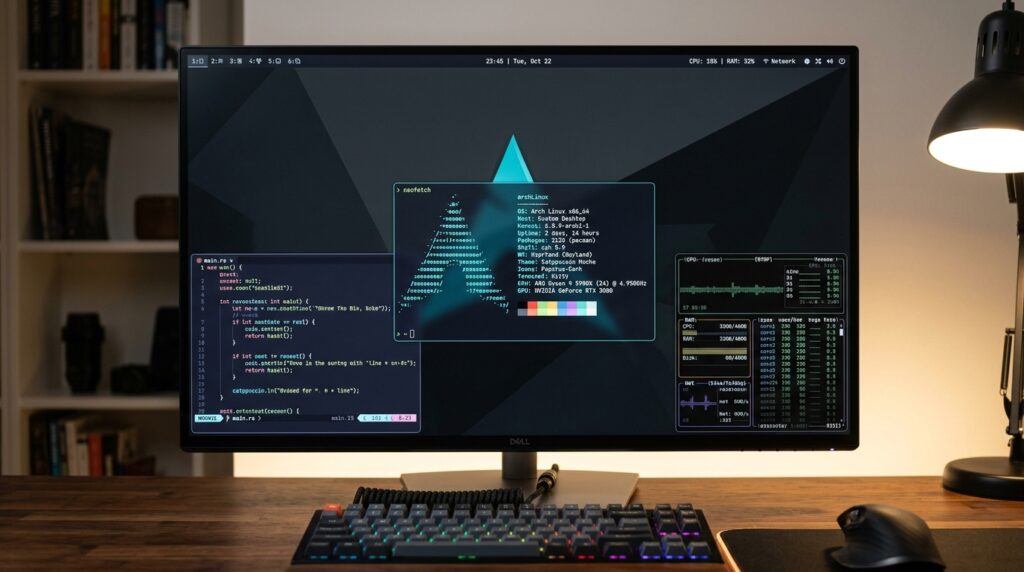
Figure 1: Architectural diagram of my daily workflow. High voltage, zero common sense, like this image

It brings out our worst, most slothful human impulses. But if you have ADHD like I do, AI doesn’t just make you lazy; it puts your hyper-fixation engine into uncontrolled redline. In the past, having a weird technical itch came with built-in speed bumps. If I wanted to resurrect an obscure 1998 PC abandonware game by reverse-engineering the binary to patch memory leaks on modern x86_64 silicon, the sheer friction of tooling would usually talk me out of it by midnight. Or I would get tired of it and find some new shiney project to work on.

Now? The friction is dead. The barrier between “I wonder if I could decompile this DLL” and “Holy shit, it’s compiling” has shrunk to twenty minutes. It’s intoxicating. It hands you superpowers, but it also leaves you at 4:00 AM with nineteen half-deployed GitHub repos, four domain names you just registered, and an attention span that looks like a shredded tire.


2. Telemetry and Studies: Is AI Actually Rotting Our Brains?

It turns out that creeping sensation of mental flabbiness isn’t just self-loathing. It’s measurable neurology.

Cognitive psychologists have tracked cognitive offloading for years. Its the process of delegating memory and processing to external hardware. But recent research from the MIT Media Lab put hard telemetry to it. By hooking participants up to EEG monitors during analytical writing exercises, researchers found that users who outsourced synthesis and drafting directly to generative AI registered the lowest levels of frontal lobe engagement compared to those doing standard manual search or raw writing. When you eliminate the sweat of structuring an argument, your neural retention flatlines.

The starkest breakdown of this dynamic comes from a landmark working study conducted by Wharton researchers Hamsa Bastani, Osbert Bastani, and Alp Sungu: Generative AI Can Harm Learning. They tracked thousands of high school students tackling STEM curriculum under controlled conditions:

  • The Crutch Effect (Raw LLM Access): Students given unfettered access to standard ChatGPT solved 48% more practice problems during study drills. They felt invincible. But when they sat down for independent proctored exams without the AI, they bombed—scoring 17% worse than students who had never touched an AI tool at all. They had confused the bot’s competence with their own.
  • The Tutor Effect (Scaffolded Guidance): When the researchers constrained the model to act as a Socratic tutor, refusing to spit out answers, providing conceptual hints, and forcing the student to execute the logic it all reversed.

The empirical takeaway is brutal in its clarity: Using AI to generate your answers rots your brain. Using AI to interrogate your own thinking sharpens it into a scalpel.


3. The Gentrification of the Web: RIP to My 90s Fantasy Football Site

Beyond our frying synapses, there is an aesthetic tragedy unfolding across the internet: the wholesale murder of human weirdness in web design.

AI has caused the commoditization of frontend engineering. Anyone with twenty bucks and an API key can prompt a responsive web application into production. On paper, that democratization is a miracle. In practice, because these models are trained on the median aesthetic consensus of Silicon Valley venture-capital pitches, every single new website looks exactly the damn same.

You know the look: rounded Bento box grids, pastel blur gradients, 48-pixel floating sans-serif headers, and acres of empty glassmorphism panels that display four pieces of data across an entire 27-inch 4K monitor. It is sterile, corporate, AI maximalist beige.

Here is my villain origin story: I belong to a fantasy football league that has been running uninterrupted since the early 1990s. For over two decades, our league was hosted on an independent platform that had not touched its UI codebase since roughly 2002. It was glorious. It had raw HTML tables. It had high information density. It wasn’t flashy like the ESPN or Yahoo apps, but you could see every roster, matchup, and waiver wire transaction on a single screen with zero latency.

Two weeks ago, we logged in for our annual draft. Some well-meaning developer had clearly taken a prompt-to-code tool and unleashed a full AI-maximalist overhaul across the entire stack. Everything was hidden behind floating accordion menus. Player cards took up half the viewport. The draft board looked like an uninspired SaaS landing page for an enterprise cloud analytics suite. I wanted to throw my mac book through the drywall.

I miss the jagged, unpolished edges of human web design. I miss ugly, bespoke utilities built by people who cared about solving an actual problem rather than showing off how many animated CSS backdrop-filters their framework could render before your laptop fans spun up.


4. Incident Review: Where the Leverage is Unbeatable

So am I ready to smash my silicon and retreat to the woods? Not yet. Because when you strip away the Silicon Valley marketing slop, the real-world operational multipliers are staggering. In my own life, AI has become needed in two high-stress domains:

A. The Cybersecurity Degree Grind

I am currently grinding through my Bachelor’s degree in Cybersecurity. In technical domains, relying on an LLM to write your assignments is suicide. I wouldn’t survive a single live technical interview or certification exam. But using it as an adversarial sparring partner? Fuck me.

Think about the historical shift: our parents went from thumbing through microfiche and library card catalogs to querying early AltaVista and Yahoo. That leap compressed weeks of research into hours. AI represents that exact same generational leap forward. When I’m analyzing packet captures in Wireshark, auditing firewall configurations, or staring at x86 disassembly, I don’t ask the model for the answer. I have it spin up targeted diagnostic quizzes, explain obscure RFC edge cases, and challenge my mitigation logic. It turns passive cramming into active, high-tempo red-teaming. Though I admit sometimes I just want the answer.

B. First-Generation “AI Parenting” at 2:00 AM

My wife and I have zero family living nearby. When our kid wakes up at 2:15 AM screaming inconsolably with an unusual symptom, or when a bizarre behavioral curveball hits at school, our parents aren’t always awake or available on speed dial.

We are among the very first generation of human beings raising children with large language models on our nightstands. I plan to write an extensive standalone piece on this dynamic, but the candid reality is that AI has been an indispensable, unflappable triage partner. It doesn’t replace our pediatrician, or any required professional but it does lend the proverbial hand. The reason it works is simple is pretty simple. I grew up in the era where teachers docked full letter grades if you failed to cite primary sources, and where quoting Wikipedia was treated like academic treason. That battle-tested reflex is permanently hardwired into my nervous system: Trust, but verify. Hopefully thats the same in todays school but I have a feeling its not.


5. Postmortem: Cutting Through the Hype

Let’s be real about Big Tech’s current rhetoric: the venture-backed sales pitch is 80% breathless bullshit. AGI is not showing up next Tuesday to take your job, write your novels, and solve the heat death of the universe. The hype is suffocating, and the grifters are out in force. Yet, sneering at the technology and pretending it’s a useless toy is just as stupid. Across infrastructure engineering, vulnerability research, and everyday household triage, the practical leverage is real, permanent, and compounding. It sucks because peoples lives will and are being affected.

The dividing line isn’t technological; it’s behavioral. If you use AI as a mental couch potato machine to avoid the sweat of thinking, it will hollow out your grammar, dull your reasoning, and turn your creative output into generic corporate sludge. But if you treat it like an on-demand sparring partner and you force it to test you, question you, and accelerate the hard work, it’s the most potent tool since the invention of the compiler.

Keep your grammar tight. Respect the struggle. And for the love of God, leave the 2002 fantasy football layouts alone.

Authors Note: I am trying to get back into writing posts. For reasons already listed here I need to keep my brain challenged or I am going to end up typing everything in wingdings. I look forward to chatting with everyone again and keeping my little piece of the internet lively and green.
CategoriesTechnology

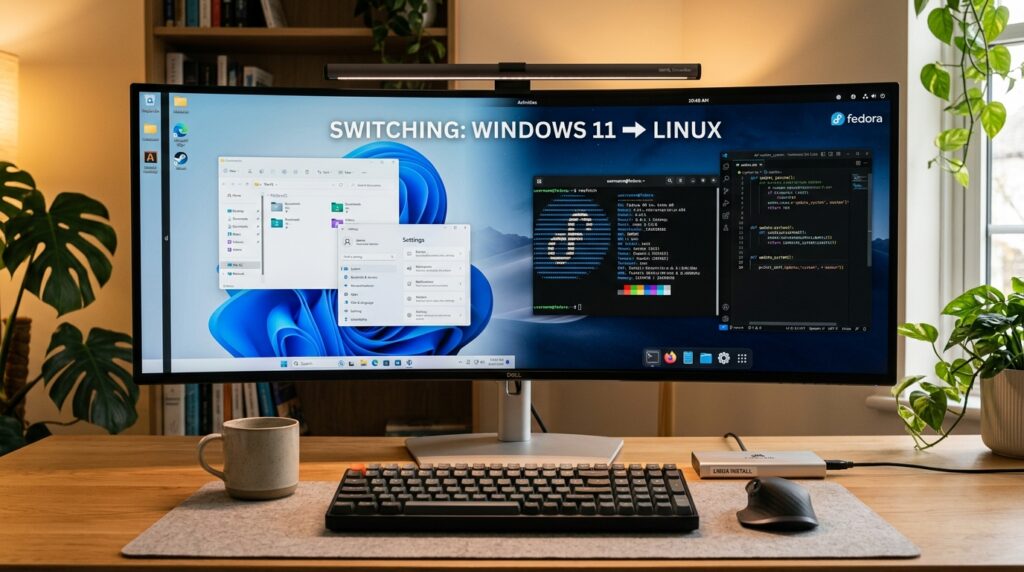
I am done with Windows – Is Linux the Answer?

Posted on May 2, 2023by jwallace

“The Linux philosophy is ‘Laugh in the face of danger’. Oops. Wrong One. ‘Do it yourself’. Yes, that’s it. –”Linus Torvalds – Creator of the Linux Kernel

Is Windows the Answer?

Microsoft Windows has been a part of my entire life. I grew up with it at home, at school, and later on at work. When I reached the end of high school, I had a life goal: to work for Microsoft. The only time I used Linux was when I needed to bypass security controls on our home computer so that I could game when I was supposed to be doing my homework. However, since the release of Windows 8 and the interface changes Microsoft continues to push; I decided to change my daily driver to Linux. As you will find out, it wasn’t that simple.

Why?

Since Windows 8, Microsoft has been pushing an update to its interface and dumping any interface that still looks like it was built in Windows 98. While some of these changes have been great, many have been terrible. The list is pretty long, but here are the top things that have pushed me over the edge:

  • Windows 11 has decided to hide context menus. If you right-click a file, you must click more options to see what you want. (Whoever thought this was a good idea….Shame)
  • Windows 10 and 11 are trying to do away with Metro UI from Windows 8. However, there are still Metro UI elements in Windows 11, on top of the new UI from Windows 10. Hell, there are still UI elements from Windows 98.
  • The endless push to get you to sign in with a Microsoft Account instead of a local account
  • Targeted Ads – Tracking telemetry
  • Ads in the start menu
  • The amount of bloat being shipped in standard Windows installs.
  • General lack of cohesion
  • Forcing Windows Server to use the same UI as consumer Windows.

I’ve stayed with Windows mostly because it’s still one of the most used operating systems in the world and its gaming credentials. While I use Linux more and more at work, most of what I do at home is on Linux. I love to game on my PC, and for the longest time, Windows was the only way to game on a PC. That changed recently with the release of the Valve Steam Deck. The Steam Deck runs Linux with a compatibility layer called Proton that allows you to play Windows games on Linux easily. Proton isn’t new. It’s a supercharged version of the compatibility tool called Wine. I’ve used Wine in the past, and while some things worked well, it was always a bit janky and didn’t always work. After getting my Steam Deck, I realized that times have changed, and maybe it was time to give Linux another shot.

Arch Linux

Setup

I have two computers at home. A gaming computer I built myself and a laptop I use for gaming and work. Since I know I will need at least one computer with Windows, I decided to trial-run Linux on my laptop. This was my first mistake, as some laptops are better suited to Linx than others; I’ll get to that in a minute. After deciding to use my laptop, it was time to pick a distro. In the past, I have usually stuck with Debian-based distros like Ubuntu or Mint, but I wanted to try something fresh. When it comes to Linux, they usually come in two different flavors, Point Releases (LTS) and Rolling Releases. Point Releases or Long Term Support releases are usually distros like Ubuntu or Fedora that release big updates and drivers once or twice a year. Point Releases have been the gold standard since Linux was made, but in the last few years that has changed. Rolling Releases are distros that update as soon as a driver or update is released. They are usually cutting-edge and have all the latest and greatest features. Arch Linux is one of those distros and has been growing in popularity over the last six years to the point it is one of the most popular distros around. I tried it a couple of times in 2015 and struggled with it. However, I wanted to try it again because most users who game on Linux swear by it. Instead of installing true Arch Linux, I decided to go with a distro called Manjaro. It’s a more user-friendly Arch Linux and has a lot of built-in scripts to get Steam up and running for gaming. I will be installing it on the following:

  • Asus G15 Laptop 3070ti AMD 5900HS 32GB Ram
  • Logitech MX Master Mouse

Installation

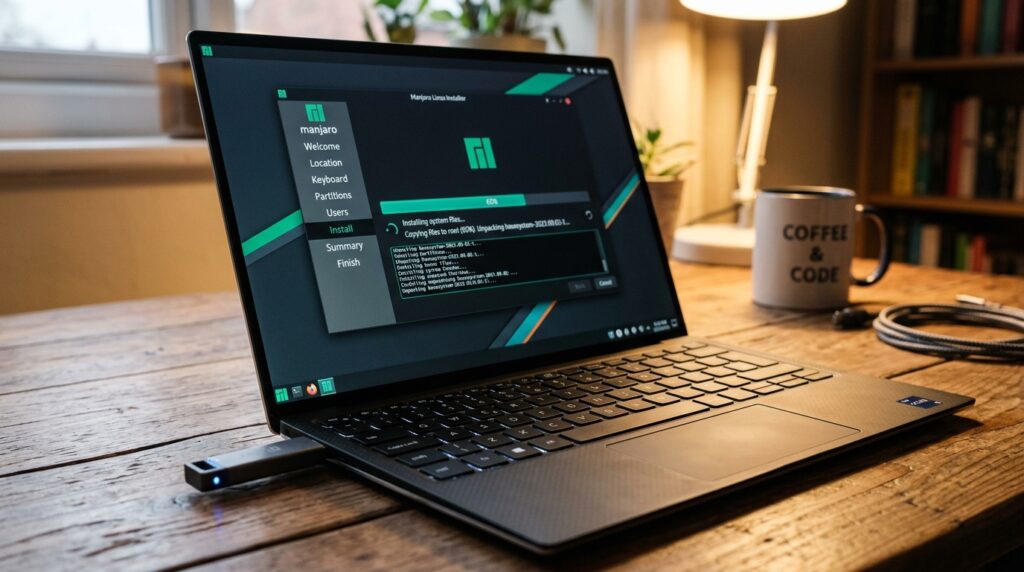
Manjaro Iinux Running

Unlike the command line installer that comes with Arch Linux, Manjaro comes with a simple-to-use interface to get everything set up. It was no different than setting up Ubuntu. After installing, I was greeted with a nice desktop interface. That was when the trouble began. While everything worked, my Bluetooth mouse did not. I have a Logitech MX master mouse which I love. For whatever reason, it would not show up in the Bluetooth menu. Per the Arch documentation, it should just work, but it just wouldn’t. Looking around on Reddit and Manjaro forums, I found this thread about installing different Bluetooth managers. At this point, we went off the rails. By testing some of these out, I destroyed the package manager and could not install any packages. At this point, I spent about 2 hours trying to get my mouse working and was incredibly frustrated. I had seen a post earlier that said Manjaro wasn’t a true version of Arch Linux with all the under-the-hood changes they made. I decided to try Arch and see if I would have better luck.

He did not have better luck.Narrator

Arch Linux comes with nothing. It’s a minimalist Linux system and doesn’t come with anything. It gives you enough tools to get up and running; the rest is up to you. I installed a GUI, got the OS up to date, and got display drivers running. Arch doesn’t come with Bluetooth support. You have to install the Bluetooth stack. There are many versions you can pick from, but I went with the default utility package. This is where I ran into almost the same problem. The mouse would pair this time but wouldn’t control the screen. I spent another hour on this before I closed my laptop and just walked away. The next day after doing some research, I found some very interesting things:

Without knowing it when I started, I had picked hard mode to get Linux installed on my laptop. During my late-night search, I stumbled on the folks over at asus-linux.org. This team of developers has been working on getting Asus Laptops working on Arch Linux and Fedora. Their guide specifically calls out not to install Manjaro on your laptop due to multiple compatibility issues. While they have a very straightforward guide to Arch Linux, the guide that caught my eye was the one for Fedora. Fedora has been around a long time, and while it may not be bleeding edge, it does try to be a middle ground between Arch and Ubuntu. I have used it before, and I am a lot more comfortable with it than Arch.

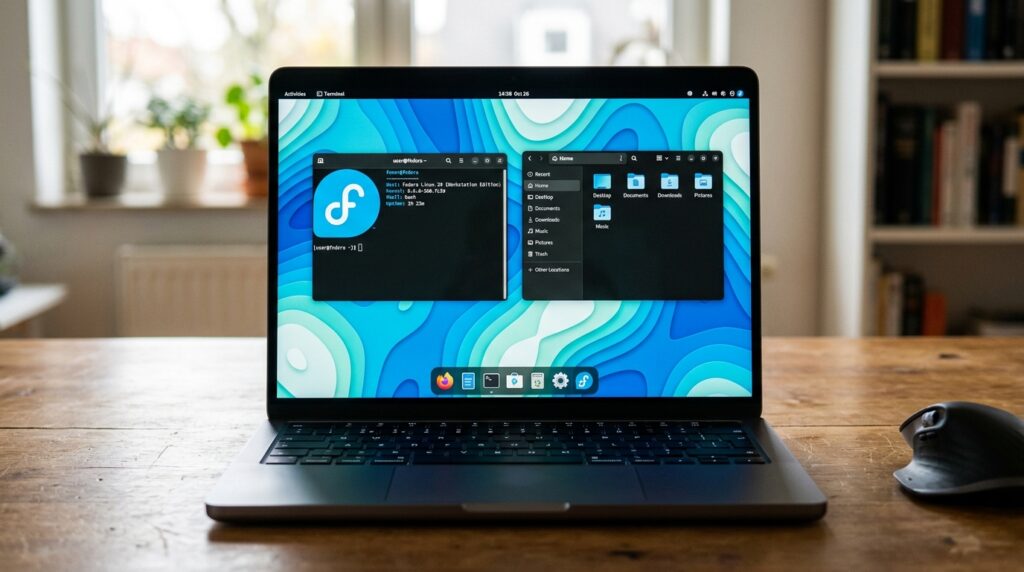
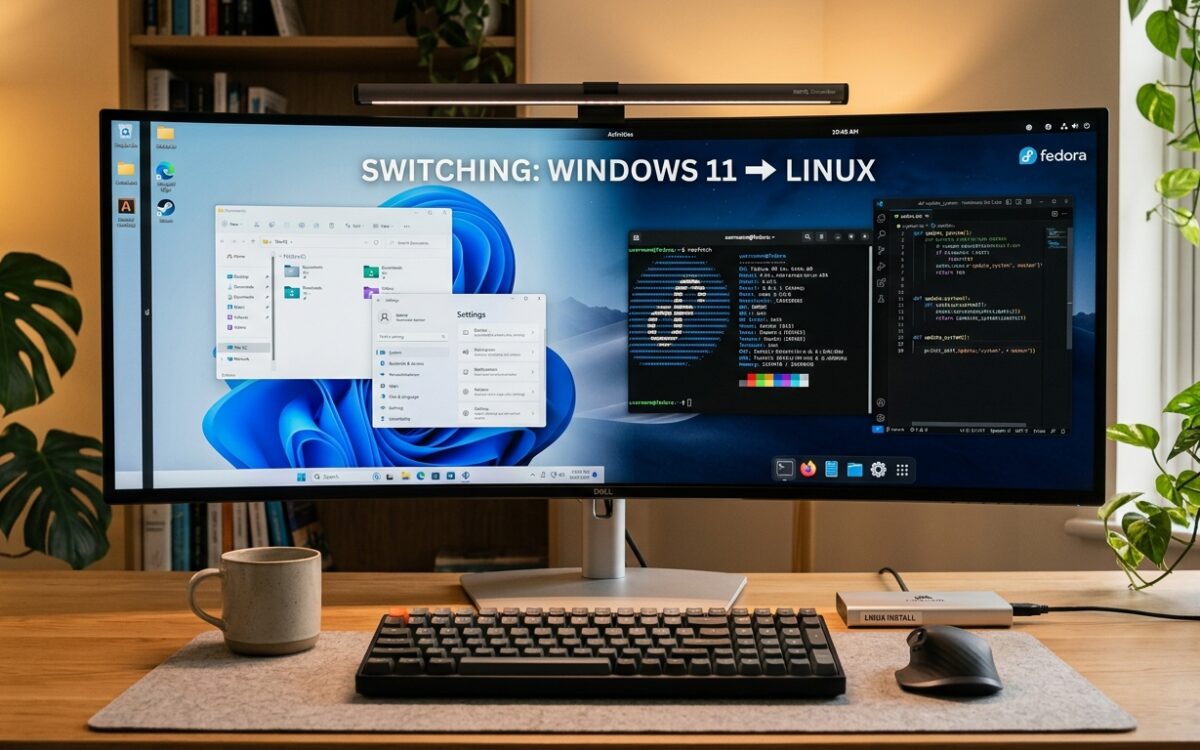
Fedora Running Gnome

Installing Fedora 37 is very straightforward. I had zero issues getting everything up and running. While I have no love for the Gnome interface and its touch-centric design, unlike Windows, I can change it to whatever I want. Bluetooth worked without issues, my mouse paired, and all the hotkeys worked. The Fedora guide was straightforward, and getting the Nvidia drivers to work was a breeze. My only issue was that booting from a hibernated state can take about 1 minute to boot. This issue concerns the Sabrent NVMe drives; developers say it will be fixed. Before I get into my day-to-day driving of Fedora, I need to take a minute and call out Nvidia.

Nvidia

Unlike Intel and AMD, Nvidia does not open-source its drivers for Linux. They do provide a blob that you can run, but in almost all distro’s you need to do special changes under the hood to get them to work without breaking your whole system. The open-source equivalent of this is a package called Nouveau. The developers for this package, with little to no support from Nvidia have been hacking and patching support on Linux. It works but it’s never been great. If I had gotten a laptop with Intel CPU/AMD GPU or AMD CPU/AMD GPU I would have had little to no issues running in Linux. While Nvidia has stated they will partially open-source their driver for Linux, the progress has been very slow. If you plan on moving to Linux to game in the future, just be aware that Linux gets treated like crap compared to Windows. I hope that changes in the future, and frankly, I am disappointed.

Trial Run

Broadly speaking, running Fedora on my laptop daily has been a breeze. I enjoy seeing daily updates to the kernel and being able to tweak performance at will. Steam and its Proton compatibility work amazingly well. Some games do better than others, but for the most part, I only had a few issues here and there playing games. One of the only major issues is that most Anti-Cheat software doesn’t support Linux. Because of this, most online games don’t work. With older games, like Total War: Rome II, the game would have issues seeing the correct amount of VRAM on my GPU. None of these issues were game-breaking, and I could game without issue. Emulation also worked well, and playing my Nintendo Switch and DS games via emulation was a breeze. While the team over at Asus-linux.org have done a great job of providing 1 to 1 tooling from Windows, it’s not perfect. The tool they use to update RGB doesn’t always work, and despite being able to control the fans, the laptop did run a little hotter than it did on Windows. Overall, when gaming, I only lost 5 to 10 frames per second against Windows. In most games, that wasn’t very noticeable, but in more modern games where every frame mattered, it could be annoying.

Enabling Proton

In terms of productivity, I didn’t have many issues here either. I found tools that would have replaced what I used in Windows. Email was a little bit of a hassle. I use multiple Office365 accounts spread over multiple domains. I have used Thunderbird Email Manager in the past, and while it’s usable, it’s not Outlook. I ended up having to pay a third party to get authentication to work in Thunderbird with Office365. Libre Office is a great 1 to 1 replacement for Microsoft Office. I spend most of my productivity tasks on the web, so using Firefox and Chrome is no different than on Windows. I did have some issues with the Nvidia driver where the laptop would come back from sleep, but the display driver would not. There were lots of complaints about this online about this, and a simple crontab hack was able to fix it. In general, Fedora consumed far fewer resources at boot, and I didn’t have to worry about bloat or Fedora selling my data. One issue I did have was a tool called Remote.it. I use this to connect to my crypto mining warehouse in Montana. I unfortunately have to use this tool because the service provider, StarLink uses Carrier Grade Nat (CGNAT) for its service. CGNAT is used by smaller providers who can’t get ahold of a large enough pool of IPV4 addresses (There is a shortage). There is a great write-up here, but to make it simple, if you use StarLink you will be double NAT and have no way to port forward. Remote.it is a service that allows you to tunnel around those limitations. Unfortunately, they don’t provide an installer for Fedora. My workaround for this was to install VirtualBox and run…..Windows. It was annoying to have to install Windows for one application, but it also solved my email issues. My other issue was that my laptop was a 4k display. While I usually set it at 2k, Linux doesn’t have support for HDR and window scaling. There were a couple of workarounds to get scaling correct, but Linux has a long way to go to support HDR (so does Windows in that aspect).

Notes For The Future

I installed Fedora back in December of 2022. Compared to how things were five years ago, I can already see a future where I no longer use Windows in my day-to-day life. Last month, I purchased a second NVMe 1 TB drive for my laptop as it had a port available. I ended up installing Windows on one drive and Fedora on the other. I spend most of my time in Linux, and I switch to Windows if I need to use a Windows Native application or I want to play a more modern demanding game. If I could go back to December 2022 and give myself some tips, I would probably have said the following:

  • Buy an INTEL CPU/AMD GPU laptop or an AMD CPU/AMD GPU laptop. Dealing with Nvidia is a pain in the ass.
  • Rolling releases have tremendous support, but you are beta-testing the software.
  • Make sure any future laptop you use has basic Linux support. Many laptops these days have special hardware that only works on Windows.
  • Check to make sure every program you use day to day runs on Linux.

I am pleasantly pleased with how far Linux has come. It still requires that tweaking that it’s so well known for, but if you stick with the mainstream Linux distros, it almost “just works.” Even if I didn’t have an ASUS laptop and I went with installing Linux on my desktop, I think I would have ended up on Fedora. It is such a solid operating system (OS), and even Linus Torvalds, the creator of Linux, uses it as his day-to-day system. If you want to make the switch, I honestly can’t recommend a better OS. Last but not least, if could make some recommendations to Microsoft, I would state the following:

  • You don’t have to be like Apple. Sure, they are riding high, but all great empires fall. Return to the Windows 7 interface and change everything to match that interface. Upgrade the internals to match Windows 11 (Direct Storage, DirectX Support, built-in Linux, etc.).
  • If you don’t want to settle on the Windows 7 interface, then stay set on the Windows 10 interface and clear out all the old design elements.
  • If you want to support handheld or touch devices, let the user choose what interface they want to use at installation. Trying to make an operating system that supports all devices is impossible. Gnome did the same thing with their UI, and it’s almost universally hated.
  • Focus a little more on gamers. I know they aren’t a big subset of your users, but you will lose them if Linux and Proton continue on their current path. Performance is everything.

I will continue to use Windows, and I am sure Windows 11 will get itself sorted out by Windows 12. In the meantime, I will keep using Fedora and enjoy the experience. For now, Windows is still installed, but if things continue, I will probably drop it entirely in the future.

Authors Note: After writing this post, I stumbled upon the Atas OS project. The idea behind this project is to remove all the bloat from Windows. It was designed to be used on older hardware, but it has already been shown to speed up gaming FPS on modern systems. All it requires is Windows 10. It does have a long list of drawbacks, but if you want to dual-boot a normal Windows OS and a gaming Windows OS this is probably the way to do it.

CategoriesTech (Non-Ai)Technology

The Consuming Cloud – Centralizing the Internet

The Internet is becoming the town square for the global village of tomorrow. -Bill Gates

Right now, you are on a website hosted in the Cloud. Specifically, this website is hosted on Amazon’s AWS platform. There is a high probability that you were using an app on your phone hosted on Google Cloud or browsing a website running services from Microsoft Azure. Almost everything you do online is hosted in the “cloud.” Is that a good thing, and how did the consuming Cloud take over the internet?

The Cloud

The word Cloud gets thrown around a lot and is interchangeable in many ways. The Cloud comes down to this: The Cloud is someone else’s infrastructure you are using. Before the Cloud and even modern data centers, you had to purchase the hardware and run it yourself if you wanted to put something on the internet. If the application you wanted to run was business-critical, this would require a lot of redundant hardware and thus would be expensive. Not only was it costly, but it was also time-consuming to set up and manage. If you didn’t provision your hardware correctly and the company suddenly experienced a surge of users, there wasn’t much you could do until more hardware could be purchased and brought online. The answer to this and the precursor to the Cloud was co-location. Instead of running your own data center, you could take your hardware and run it in someone’s data center. Co-location took the management out of managing a data center. Companies no longer had to construct a location and hire employees to monitor their hardware.

Now, if a company needs a server fixed or more capacity for their applications, they need to fill out a ticket with their hosting company, and the hoster gets it done in an hour or two. In most cases, companies didn’t even need to purchase hardware as they could lease whatever was required from the hosting company. It wasn’t perfect as there was usually a lag between sending a ticket in to troubleshoot something and that something getting fixed. There were also certain levels of service a colo could provide. The more you paid, the faster the service you received. These service level agreements and muti-tenant data centers popped up all over the world. This structure worked from the 90s to the early 2000s.

Marketing and NASA

In 2002 Amazon started a subsidiary called Amazon Web Services. Shortly after, they released a service called S3 or Simple Storage Service. S3 underpins a staggering amount of the internet but simply put it is a file hosting service. Shortly after, they released a service called EC2 or Elastic Cloud Compute, which allows anyone to click a button and spin up a virtual server in an Amazon data center. This virtual server isn’t new technology; being able to emulate multiple smaller computers inside a larger one has been around since the late 1960s. The difference was the software, mainly the web interface Amazon created to spin up servers. Companies and developers now could instantly spin up infrastructure in minutes. You could programmatically add more servers if your website suddenly experienced more load.

Space shuttle Endeavour and its host NASA 747 Shuttle Carrier Aircraft make a final flight over Edwards Air Force Base on Sept. 21, 2012. NASA’s Armstrong Flight Research Center in Edwards, California, is visible on the upper right of the frame.

Cloud computing kicked into high gear when NASA and Rackspace created Nebula. Nebula was a federal government cloud computing program designed to run government projects in a private cloud. It would later go on to become Openstack. I will swing back around to Openstack, but it allows anyone to create their own personal/public Cloud using their hardware. By 2010, Rackspace and OVH had gone from hosting providers to cloud-provider businesses. Today almost everyone interacts with the Cloud. Most apps and software now run natively in the Cloud or across multiple cloud environments. Cloud computing has enabled minor developers to the most prominent companies to deploy the infrastructure required to run their apps quickly. Some cloud environments are even branching out beyond computing. Amazon recently released Ground Station, which allows you to control satellite communications to and from your orbiting satellite. Despite all these benefits, as the major cloud computing companies continue to grow, the internet becomes more decentralized. This leads to some significant national security risks.

Centralization

It happens suddenly. You are browsing Facebook and the page won’t load. Your internet connection is fine, so maybe the site is just down. So you head over to your favorite site about gaming and find that it is down. Checking Twitter shows that multiple sites are down due to an outage in one of the major cloud providers. It’s straightforward to think that because your website is hosted in the Cloud on redundant machines, it’s almost immune to all outages. Just like any piece of technology, things break. Data centers have hardware failures, fiber lines get cut, tornados cut power, and earthquakes knock buildings off their foundations. Cloud providers are not immune to these things. Redundancy is not a guarantee when hosting your stuff in the Cloud. Amazon Web Services even points out in their on boarding documentation that if you host all your services in one region, your services are not redundant. (This applies to most major cloud providers.) The simple solution would be to spin up a secondary environment in a different region, right? Sure, but that means you just doubled the costs of running your services. Cloud computing has undoubtedly lowered the cost hurdle, but it can get expensive quickly if you don’t manage costs. As an engineer, I have seen multiple bills from AWS exceeding $1 million a month.

Patrick Hertzog via Getty images – OVH Data Center Fire

Despite this, the ease of use has allowed the big three (Microsoft, Amazon, Google) to absorb many popular websites and applications in the United States and Europe. This has also allowed them to buy out many of the smaller data centers across the country. This centralization of the internet into a handful of cloud computing companies has become an Achilles heel.

Pressure Point

My job and what I do is informational and infrastructure security. Being a security engineer sometimes bleeds into my personal life, and when I look at certain things, I look at them from a security standpoint. Where are its weak points, how can I meditate risk, and how would I break in? When I look at the growth in cloud computing and the number of businesses that rely on them, it scares me. So much implicit trust from POS vendors, wireless vendors, credit card companies, hospitals, and banks that the Cloud will always work. That the Cloud is secure. I am telling you it’s not. You can have the best cloud architect set up the most secure, reliable website on AWS or Azure, but all it takes is for one employee at either of those companies to get popped, and it’s game over. All it takes is one bug in code or a misconfigured edge firewall in Google or Amazon, and it’s over. The difference before was if a hacker got into your data center or a natural disaster took it out, it just affects your business. If any of these large companies get taken out, hundreds if not thousands of businesses get taken offline.

The Northeast Blackout of 2003 – Fake not a real

It’s not just the digital bugs we should be worried about but the physical ones as well. As we have seen with the Russian Invasion of Ukraine, infrastructure is fair game. I won’t get too much into the weeds on the need for more protection of US public infrastructure, but I will add private infrastructure needs protection as well. Take out a couple of major data centers in the United States, and you will damage its service-based economy. So much of what we do day to day is spent online. Most of the applications I pay for are hosted online in the cloud. Knock enough of them out and it all falls apart very quickly.

Decentralization

I have preached that decentralization is excellent when it makes sense. In this case, I think it fits perfectly. Organizations like OpenStack are a great place to start. More companies should have their own Hybrid Private Cloud, where data is hosted both privately and in a public cloud. Some crypto-related projects even want to network hardware from across the globe into one giant global cloud network. While I love the ease of use that comes with the Cloud, I do believe in the saying that putting all your eggs in one basket is a bad idea. I would be willing to bet that we will see a significant outage across one of the larger cloud providers in the next ten years. That outage may help businesses understand that sometimes running some of their own infrastructures is the way to go. I certainly don’t want something terrible to happen to anyone’s livelihood, but if something were to happen, I would rather not see a third of the internet go dark.Categories

CategoriesTechnology

Hacking the Jasminer x4 – Will it go faster?

Update: We no longer mine crypto on my family farm. It was fun project though and I met a lot of interesting people. I plan to come back to this post and let Ai take a look at these boards and see what kind of crazy stuff it could get up too with them.

I and some family members (owned) a small mining farm out in Montana. We have over 50 of these Jasminer X4 miners. Jasminer burst onto the mining scene last year with highly efficient ETC/ETH miners. The X4 we purchased comes in a 1u form factor and barely draws 300 watts from the wall. With the current crypto winter ongoing, I decided to see if hacking the Jasminer X4 is possible and will it go fast

Jasminer is a subsidiary of a company in China called Sunlune. Sunlune’s first chip, the X4, is an FPGA with 5Gb of built-in memory, 1Tb Memory transfer speed, consumes 23 watts, and is designed to generate 65Mh/s per chip. The Jasminer x4 has 8 of these chips in a 1u form factor and can produce 520 Mh/s a second. It has a Zynq-7000 Programmable Soc daughter board to drive these eight chips. Lastly, to power all this, it has a 300-watt 1u power supply from Wingot. It’s a solid product, but it does have some shortcomings.

The power supply in the X4 is a very cheap 300-watt unit from Wingot. Searching online doesn’t reveal much about the product, but the company does exist. The problem with this power supply is it barely supplies enough wattage to run the Jasminer. As seen in the photo above, when under full mining load, this power supply is on the razor’s edge of being at capacity. We’ve already had two power supplies fail, and I know we can do better at $100 a pop per replacement power supply. So let’s open her up and see what’s inside.Inside everything is pretty bog standard except for the power supply. The plug for the X4 is just another computer power cable that has been split and runs back into the actual power supply. Not sure why they didn’t flip the internals around 180 degree’s so that you plug directly into the unit. Also, every unit we have received is usually missing one fan. Why I have no idea, but maybe to cut some costs. The good news is that the power supply can be removed and needs to be replaced with a unit with three 6-pin power connectors. It just so happens I have a cheap RAIDMAX Vortex 600-watt power supply lying around. I swapped out the old one with the new power supply, but it did not automatically power on when I plugged it into the wall. I could jump the power supply and get the X4 up and running using a paperclip. So yes, you can swap the cheap Wingot power supply with a slightly cheaper 400-watt unit. With a 600-watt power supply inside, can it go faster?

Overclocking and Hacking

Just a quick note before I did any more testing, I moved the unit outside. It’s safer if anything blows up, and it’s also colder, sitting at 16 degrees Fahrenheit. Right off the bat, we will run into some limitations in how far we can push this unit. The two 6-pin PCIe connections can deliver 75 watts each, which means both combined can deliver 150 total watts. However, that 75-watts is with a very healthy safety margin. Without going too crazy, we should be able to supply a little more juice to the eight chips. First off, we need to get into the machine. Most ASIC manufacturers have disabled SSH via password and enabled public key only. From a security point of view, this is great, and I greatly approve; however, I would like to overclock when I want. Luckily for us, Jasminer enabled SSH via password and used the same username and password as the web interface

Now that I am in, I need to figure out how it all works. I know the Jasminer runs a web interface, and I can set the frequency of the chips to either 200 or 225. However, looking in the usual places for a web server has come up empty. Instead of blindly looking around for files, why don’t I run top and see what is running? Running the Top command bore a lot of fruit. I know the primary x4 process is called jasminer, where the configs are located (/media/configs), and that it runs lighthttpd for a web server—looking at the lighthttpd config I have found that the webserver files are located in the /www/pages directory. Here is where things get interesting. When opening the pools.html file in VI, it looks like Sunlune initially allowed a frequency of up to 250 but commented the code out in production. It seemed like a simple test, so I removed the commented-out line and opened up the pool page to find that 250 was now an option.
Unfortunately, setting the frequency to 250 and applying was not to be. Once you click apply, it reverts to 200. Nothing is reported in the logs, so now to figure out where that 250 value is posted too. At the top of the pools, the file is a CGI call or common gateway interface. A CGI call allows a website to interact with an application. This call makes a post to an executable shell file called set_pools.sh. Opening that file, I find the problem immediately. The bottom of this file has an if statement that says if the value does not equal 200 or 225 set the value to 200. A quick edit removing this code should allow my 250 value to pass through. As you can see in the images below, with those two changes, I was able to overclock the unit an additional 25 to 250.

Results and Conclusion

When I made the changes above, the unit was already mining. The power usage jumped to 350 watts, and the miner crashed. I see why Sunlune disabled that setting with only a 300-watt power supply. I restarted the process and attempted to see the average hash rate. The results were ok at about 100MH of hashing power with 50 more watts of usage. While there is an improvement, it’s not great. Jasminer’s web interface does not show rejections, but in the miner logs, rejections did increase. Hashrate also fluctuated wildly. Another downside is that the edits to the HTML/CGI files get reverted to their original state after every reboot. However, the overclock stays in place, and this is because all that is being changed is the frequency value in the jasminer.conf file. Putting in higher or lower values will throw an error and default to 200. There is quite a lot of unused code lying about the system. In the future, I may release custom firmware for those who want to have a bit more control over their systems. Despite the poor overclock performance it’s good to see that the power supply can be swapped out for something a little more rugged. Until next time!


CategoriesTechnology

Complex Realities: In Defense of Microsoft’s Recent Cloud Breach

Defending against cyber threats is like guarding a fortress in a digital realm – every byte counts in the battle for security. -Unknown

Update: When I wrote this post, Microsoft had not completed their investigation of the cyber attack. Specifically, they hadn’t figured out how the key was stolen. A couple days ago they announced they had discovered how the key was stolen and boy its a doozy. The system where the key was stored, was in fact a secure system. Employee’s were background checked, required special permissions to access the system, and overall it was tightly controlled. At some point the system crashed and created a crash dump. A engineer investigating the issue, did not have the tools they needed on system and the dump was moved to an insecure system. That engineers credentials were eventually stolen and were used to access where the crash dump lived. The attackers discovered the keys in the crash dump and the rest is history. Just goes to show you what you are up against, when you join cyber security.

On July 11th, Microsoft announced that customers in their Azure and Office365 environments had been breached. The affected customers were mostly US Federal Agencies, and per Microsoft, the attacker was most likely a nation-state actor from China. As more and more information came out, articles were written by countless organizations stating “Countless Problems” and how “grossly irresponsible” Microsoft was in terms of Security. I’ve written about my qualms with Microsoft in the past, but as someone who worked there, the amount of blowback isn’t warranted. The attack certainly deserves an external review and an internal one, but certainly not to the level it’s currently getting. The complex realities are that vulnerabilities exist in everything because they were built by humans and are used by humans.

What Happened?

For those who are unaware, here is what happened:

In July 2023, Microsoft revealed details about a cyber espionage campaign conducted by a threat actor called Storm-0558. This group, believed to be China-based, targeted various organizations with forged authentication tokens to access user email accounts. The attack was focused on government agencies and consumer accounts within the public cloud, with the objective of unauthorized email data access. Microsoft has thwarted this campaign and taken steps to enhance security measures and inform affected customers.

Threat Actor and Objectives: Storm-0558 is a China-based cyber threat actor engaged in espionage. The group’s activities involve targeting diplomatic, economic, and legislative entities in the US, Europe, as well as individuals connected to geopolitical interests like Taiwan and Uyghurs.

Attack Techniques: The group employs tactics like credential harvesting, phishing campaigns, and OAuth token attacks. The use of OAuth applications, token theft, and token replay in Microsoft accounts is noted. In this attack they used a stolen inactive MSA key. At this time Microsoft doesn’t know how they obtain the key. See Token Forgery Section.

Initial Access and Exploits: Once inside, they deploy malware like China Chopper and a shared tool named Cigril.

Compromised System Access: After infiltration, Storm-0558 acquires credentials from sources such as LSASS process memory and Security Account Manager (SAM) registry hive. With valid account credentials, the actors access compromised users’ cloud email accounts to extract information.

Discovery and Analysis: Microsoft detected anomalous data access on June 16, 2023, and attributed it to Storm-0558 based on prior tactics. The initial assumption of token theft was revised when it was found that the actors were forging Azure Active Directory (AD) tokens.

Token Forgery: Storm-0558 exploited an acquired Microsoft account (MSA) consumer signing key to forge authentication tokens. This allowed them to access Exchange Online data. Azure AD keys were not affected. Microsoft has taken corrective measures to prevent this kind of attack.

Access Techniques: The threat actor used forged tokens to authenticate via legitimate client flows. They exploited a flaw in the GetAccessTokenForResource API to obtain new tokens, enabling access to mail messages from the Outlook Web Access (OWA) API.

Actor Tooling: Storm-0558 utilizes PowerShell and Python scripts to make REST API calls against the OWA Exchange Store service. These scripts can download emails, attachments, and conversations. The group employs proxies and disguises its activity with various User-Agents.

I would highly recommend anyone who is interested in security to go read the write-up about the event here. In my defense of Microsoft, I have to credit them for releasing this article on the events of how things happened. Many companies will follow Federal disclosure guidelines and then proceed with a ton of hand-wavey bullshit that everything is fine. Crafting this article aids companies and security engineers in detecting and safeguarding against additional cyberattacks, ultimately benefiting the entire cybersecurity community.

In Defense

The most critical article I have seen is this one from Arstechnica. In it, the author talked about a Senator from Oregon putting Microsoft on blast for “negligent cybersecurity practices” and how the CEO of Cyber Security firm Tenable took to Linkedin explaining how they had warned Microsoft this would happen. Tenable had discovered the issue with one of their banking clients, and it scared their security team so much they rushed to get Microsoft to fix the issue. The CEO goes on to explain that Microsoft took their time fixing the issue and was breached in the process. The senator from Oregon, on the other hand, believes that Microsoft should have never deployed systems in the states they were in and failed basic security practices.

Generated using AI

That being said, I disagree with what is being said. There are different levels of threats and vulnerabilities, and based on those levels, the most critical should be acted on first. It’s part of the reason we have CVE and CVSS scores. Microsoft is huge, and we have no idea what other vulnerabilities they were dealing with at the time of the disclosure. On top of that, this attack doesn’t look like it could have been carried out without having some level of access to the system already. The attack required a key to chain together with the actual vulnerability, allowing an inactive key to generate tokens that allowed access to all sorts of data. If I am Microsoft and I have a CVE of 9 that I am currently fixing, and a 3rd party company comes in with a CVE of, say, 7.5 and says, with the right key, this API can be abused, what would you do? It’s a priority, but you will keep fixing the higher critical issues. Microsoft’s response might not have been as swift as some expected, resulting in vulnerabilities being exploited. However, it’s unlikely that they remained inactive. Their subsequent actions upon discovering the issue demonstrate their proactive approach.

While I can’t get into too much detail, I will say of all the places I have worked in my career, Microsoft had the best security controls. Segregation of permissions and the network were everywhere. Getting access to business-critical systems or customer data was never permanent. Regarding their Federal Office365 environment, security was taken to a different level. I had to get my fingers printed for a background check, and we worked in a secure room. The amount of controls in place to do anything in that environment was unlike anywhere else I have worked. From an external perspective, Microsoft has enormous legacy debt while also trying to provide the same level of service as AWS and GCP. It looks like in their move to “move fast and break stuff,” they deployed a keystore outside policy and in an unsafe manner. I would be curious to find out how the attacking group got hold of the key, but we may never know.

Unlike certain companies that view security as an impediment, prioritizing progress over protection, Microsoft takes a fundamentally different approach. They don’t engage in mere checkbox security theater or heed advice only post-breach. Microsoft’s proactive stance stands in stark contrast, valuing security as an integral part of their operations rather than an afterthought. At least, that was the case when I worked there.

They Aren’t Perfect

Despite my defense of Microsoft, I do need to state that they did make some mistakes:

  • Deploying a keystore with valuable keys where one could leave the company is a big mistake. Maybe it was an inside actor; perhaps it was scraped off an employee’s machine. Either way, a key that could generate that much access should be locked down tight with processes involved in retrieving it.
  • Certificates that don’t expire or are valid for years. I’ve worked at multiple companies where this is true. I can’t say I am surprised, but since it’s Microsoft policy never to have certificates that last that long, they should practice what they preach.
  • The fact that a customer found out something was wrong before Microsoft is not a good look. I can’t imagine how much data they ingest, but as a security engineer, it always leaves you on the wrong foot when a customer tells you something is wrong before you know.
A look east at the Microsoft Campus, with the Redmond Technology Station on the far left.

These challenges extend beyond Microsoft’s domain; however, given their significant presence as a leading cloud provider, they rightly bear a greater responsibility. Their pivotal role in the cloud landscape necessitates a higher standard of security and accountability.

After Thoughts

I readily acknowledge my skepticism toward cloud technology. With the three major US cloud providers collectively hosting countless businesses, vulnerabilities loom large. A single update, misconfigured keystore, or even a single rogue employee can potentially compromise these platforms. Like hunters drawn to a massive whale in the vast ocean, hackers are irresistibly drawn to cloud providers in the United States, lured by the sheer abundance of businesses hosted on their platforms, making them high-value targets for cyber intrusions. Microsoft messed up, they can do better, but this attack isn’t some gross irresponsibility.

Anyway, I hope enjoyed the latest article. Once again good luck to all the engineers out there, and until next time, stay safe!

The Northeast Blackout of 2003